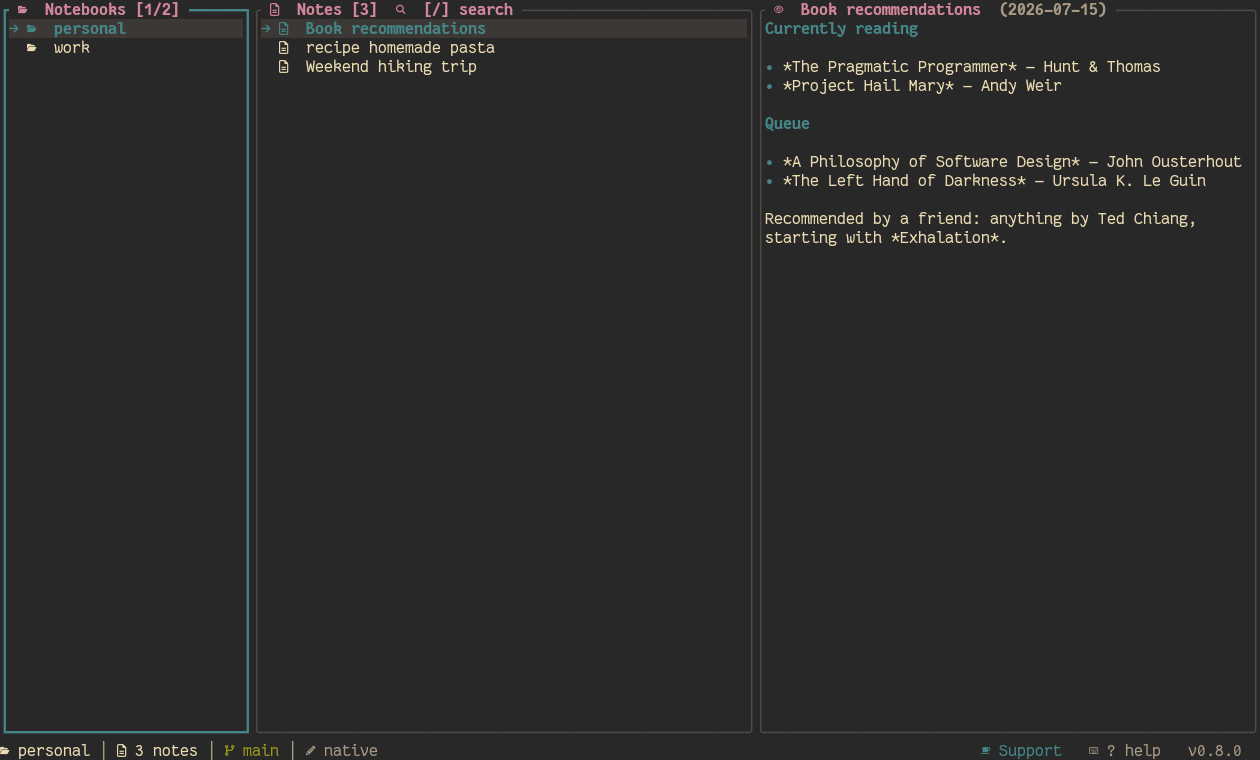
Most note apps bolt sync, versioning, and organization on top as separate systems you
have to trust. shiki builds all three on top of something you already trust: git.
⎇
Notebooks are real git repos
Not a database, not a proprietary sync format — each notebook is an independent git
repository from the moment you create it. Push it, clone it, inspect it with plain
git log, host it anywhere.
↺
Real per-note version history
Every commit that touched a note is browsable and revertible straight from the TUI —
because it's the actual git history, not a bolted-on versioning system that can drift
from what's on disk.
⌨
100% keyboard, fully remappable
Yazi-inspired modal navigation (hjkl, visual mode, leader key) with every
binding defined in config.toml. Nothing hardcoded except the basics.
⇄
Responsive 3-pane layout
Wide terminals get the full Notebooks / Notes / Preview layout; narrow or square ones
stack panels or collapse to a single focused view — no broken rendering at any size.
✓
Auto-sync, your way
Per-notebook policy for auto-commit and auto-push, robust HTTPS/SSH auth reusing your
system's own git credential store, and automatic fallback to the remote's real default
branch.
⟳
Self-updating, self-diagnosing
Check for a new release and install it without leaving the TUI. shiki doctor
diagnoses your setup — config, git, editor, terminal — even when the config itself is
broken.
↪
Bring your own notes directory
Point a whole vault or individual notebooks at any existing directory on disk — an
Obsidian vault, a plain markdown folder, anywhere — via data_dir or a
per-notebook path. No migration, no symlinks, no duplicated files.
☑
Every task, across every notebook, in one view
Plain - [ ] checkboxes anywhere in your notes become a single
urgency-sorted list — overdue, due today, future, undated — with an optional
@due(tomorrow)/@due(fri) tag that pins itself to a real date
the moment you save. Daily notes open with a "Due today" agenda built from all of them.
◉
See how your notes actually connect
shiki graph draws your [[wikilink]] network right in the
terminal — a deterministic, force-directed layout with hubs, edges, and orphans called
out. The links modal also surfaces "Mentions (unlinked)" — plain-text mentions you
probably meant to link — one keypress away from becoming a real backlink.
▤
Real syntax highlighting for code in your notes
Fenced code blocks render with actual per-token coloring in PREVIEW, matched to your
active theme's light/dark bias — not flat dimmed text. Mermaid fences get their own
accent treatment instead of blending into a plain blockquote.
❯_
A real CLI, not just a TUI with flags
--json on every read command, non-interactive note creation
(--body/--stdin/--tags, no $EDITOR
required), and scriptable tasks/graph output — built for cron jobs, status bars, and
shell pipelines, not just the terminal UI.
⇩
Export and publish, your format
shiki export bundles a whole notebook into one self-contained HTML or
Markdown file. shiki publish goes further — a themed PDF (17 built-in
themes) rendered through go-pretty-pdf, fetched automatically the first time
you need it.