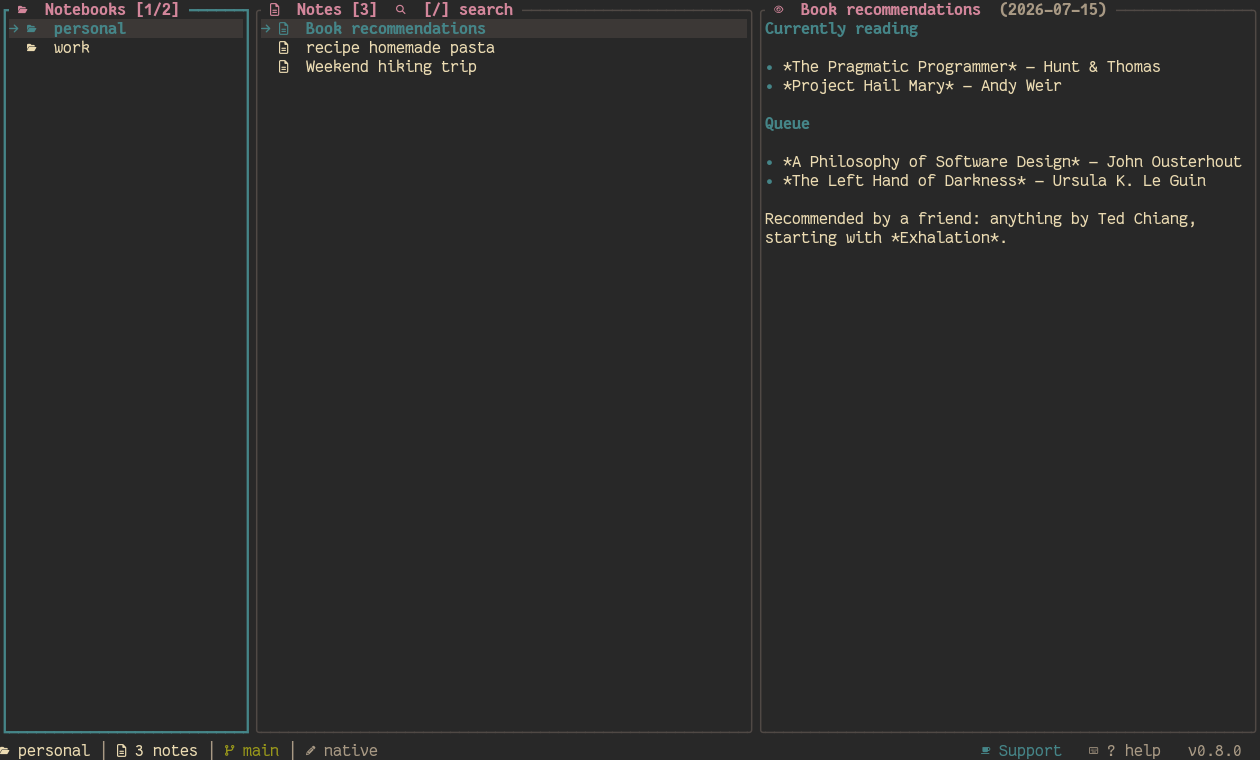
Added
- Full per-notebook theme customization — every notebook can now have its own base theme, all 19 individual color-slot overrides, and its own icons toggle, not just the base theme name (
[theme.notebooks], the only per-notebook thing that existed before). Set via the theme picker (leader then c, while that notebook is selected), shiki theme set <theme> --notebook <name>, or shiki theme create --from <theme> --notebook <name> (scaffolds all 19 color keys at once, same as the existing global scaffold command); Settings → NOTEBOOKS → (notebook) gains an icons 3-state cycle (unset/on/off) and a theme_overrides row showing how many of the 19 slots are set. A new "apply to all" action (A, from that same Settings drill-down) clones one notebook's fully-resolved theme — base name, colors, and icons, whether inherited or already customized — onto every other notebook in one shot, for broadcasting a look everywhere instead of repeating the setup per notebook. Lives in the same [notebooks.<name>] table git/path/hidden/encrypt overrides already use (new theme_name/theme_icons/color-slot fields), not a new table — the legacy [theme.notebooks] name-only map is still read for configs written before this, just never written to anymore.
- New notebook (
a) opens a "where from?" menu first, before asking for anything else — Local / GitHub / GitLab / Generic Git URL / SSH, instead of always asking for a plain name up front. GitHub and GitLab only ask for owner/repo: shiki builds the full URL, derives the notebook's name from the repo, sets the remote, and pulls immediately — no separate name question at all. SSH takes host:path or user@host:path (defaults the user to git) and warns (non-blocking) if no SSH key/agent is detected. Generic Git URL is the same free-text URL-or-local-path prompt this flow always had, just reached via an explicit menu choice now; Local asks for a name exactly like before. Picking GitHub also runs a silent, backgrounded gh auth status/gh repo view reachability check and surfaces a warning if something looks wrong — advisory only, never blocks the actual clone attempt. A failed attempt on any of these reopens the same prompt prefilled with what was typed, instead of losing it — and now shows the actual error right below the input box, in the theme's error color, instead of only in the (easily-missed, truncatable) footer status line; the notebook itself is never at risk either way, since it isn't created until the prompt actually succeeds. The actual clone/pull no longer freezes the whole app with no feedback while it runs — it's backgrounded through the same spinner mechanism manual pull (p) already uses, so a bad or slow remote shows "cloning '⟨name⟩'…" immediately, an animated spinner in the footer for as long as it's actually trying, and a clear final message either way, instead of looking indistinguishable from a hang or a crash. The spinner (shared by manual s/u/p/P too) now also shows elapsed seconds (⠙ syncing 'x' (34s)…), so a genuinely large clone/pull reads as "still working, 34 seconds in" instead of leaving that ambiguous.
Ctrl+C cancels an in-flight sync/pull/clone, and notebooks can now optionally keep themselves fresh on their own. Ctrl+C while the footer spinner is showing detaches from whatever's running (manual s/u/p/P, an auto-pull, or a new-notebook clone) and frees the "one op at a time" slot immediately — the underlying network call can't be safely force-killed mid-flight, so the abandoned attempt may still finish quietly in the background, its result simply discarded. Separately, [general] auto_pull_on_switch (off by default) pulls a notebook automatically the first time it's selected each session, provided it has a remote configured — silent when there's nothing to do (no remote, already pulled this session, something else already syncing), visible through the same spinner as manual p only when a real pull actually starts.
Changed
shiki-core/shiki-config are now genuinely portable to a non-native target, not just decoupled from shiki-tui. git2, self_update, libc, and directories are real optional Cargo features on shiki-core (git2-backend/self-update/unix-process-check/ home-dir-expand, all default-on — every existing consumer is unaffected). Filesystem access and git-repo detection/init are injectable via new fs::FileStore/vcs::VcsPort traits (NotebookStore::new_with_backends), with LocalFs/NativeVcs as the unchanged default; the same seam was added to shiki-config (ConfigFileStore) independently, without adding a cross-crate dependency between the two. cargo check -p shiki-core --no-default-features and -p shiki-config, both --target wasm32-unknown-unknown, now compile clean and are enforced by a dedicated CI job — fixed two real incompatibilities found getting there (age's transitive getrandom needing its js feature; comrak's default syntect-onig pulling in Oniguruma, a C library that can't cross-compile to wasm) and one real gap (browser::open_url had no fallback branch for a platform that isn't Linux/macOS/Windows). Removed shiki-tui's long-unused comrak dependency in the process (never actually called from its source).