Added
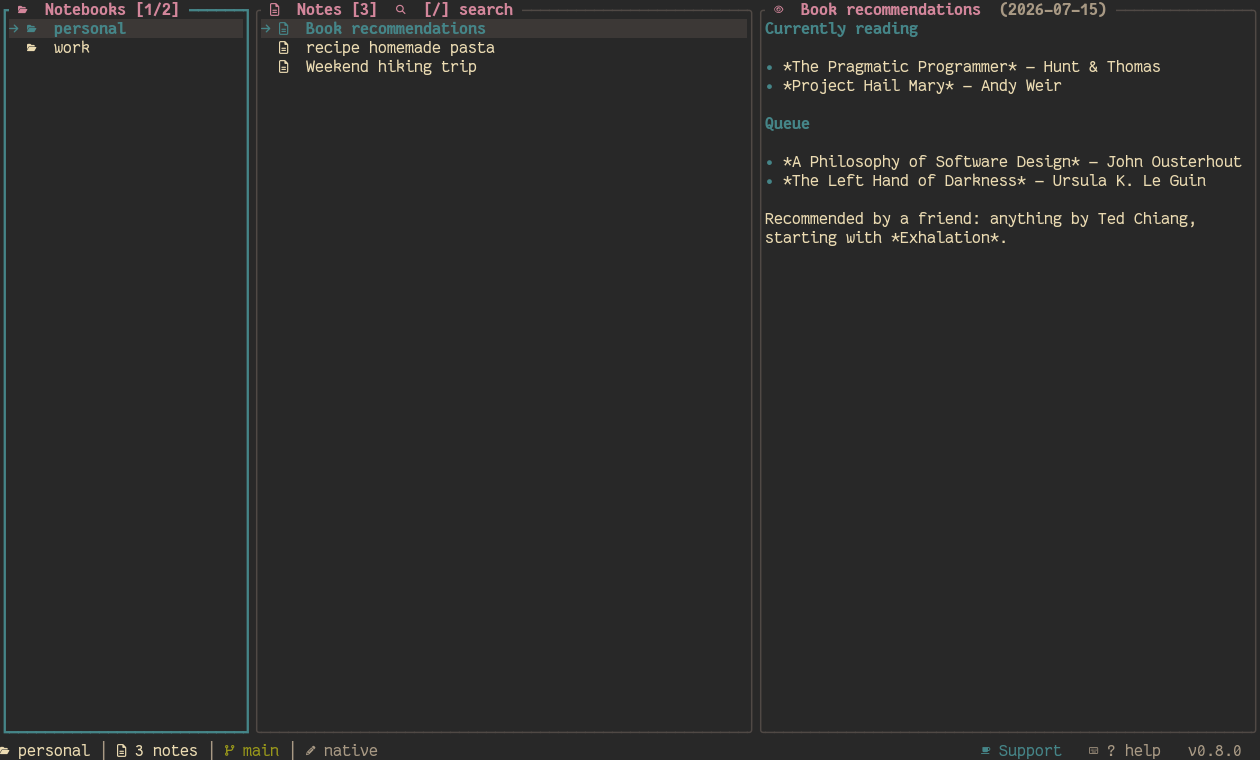
- Three-pane TUI (Notebooks / Notes / Preview), Yazi-inspired: collapsing Miller-columns layout, modal navigation (
hjkl/arrows, tab, leader key), no exterior padding.
- Notes are plain Markdown with YAML frontmatter; notebooks are directories, each its own git repo, nestable in folders to any depth (like
nb).
- Frontmatter is optional on read: a
.md file with no (or malformed) frontmatter — from nb, an imported repo, or a manual edit — still shows up, with title/date synthesized instead of being skipped.
- Config-driven keybindings, scoped by focus (
[keybindings.global/notebooks/notes/preview] in config.toml), with a leader key for actions that aren't tied to one panel.
- Six built-in themes (catppuccin, tokyo-night, gruvbox, nord, solarized, and a terminal-native default that inherits the terminal's own colors) with a live-preview picker modal (leader+
c).
- Nerd Font icon set throughout the UI.
- Per-notebook git integration: sync (commit + optional push), pull (fast-forward only, safe against local commits), pull-all, and set-remote — plus a fast path where pasting a git URL as the new-notebook name clones and imports it in one step.
- Robust git authentication (SSH agent or the system's own credential store, so it reuses whatever
git/gh already have cached) and automatic fallback to the remote's actual default branch when it isn't the one configured.
- Global fuzzy search across every notebook (leader+
g) and in-notebook fuzzy jump (/).
- Tags panel, daily notes, moving a note between notebooks, cycling sort order.
- Notebook tree view (
T): every folder and note in a notebook, fully expanded in one overview, with jump-to-note.
- Logs modal (leader+
l): a scrollback of every status-bar message (so errors aren't lost the instant the next one overwrites the status bar), with a clipboard-copy shortcut.
- Inline editor (inside the TUI) and external-editor integration (
$EDITOR, or the OS-detected favorite editor).
- CLI commands alongside the TUI:
new, list, edit, show, search, daily, sync, config, notebook, theme.
- App version shown in the status bar footer.